

Nugezza Team
Work, chat, calls and expenses for a team
One app where a small team plans its work, keeps its hours, talks, calls, shares its screen and splits its expenses.
- Used by our team
- Windows · Mac · Linux · Browser
Where it stands: Our own team uses it every day. We are making it ready for other teams.
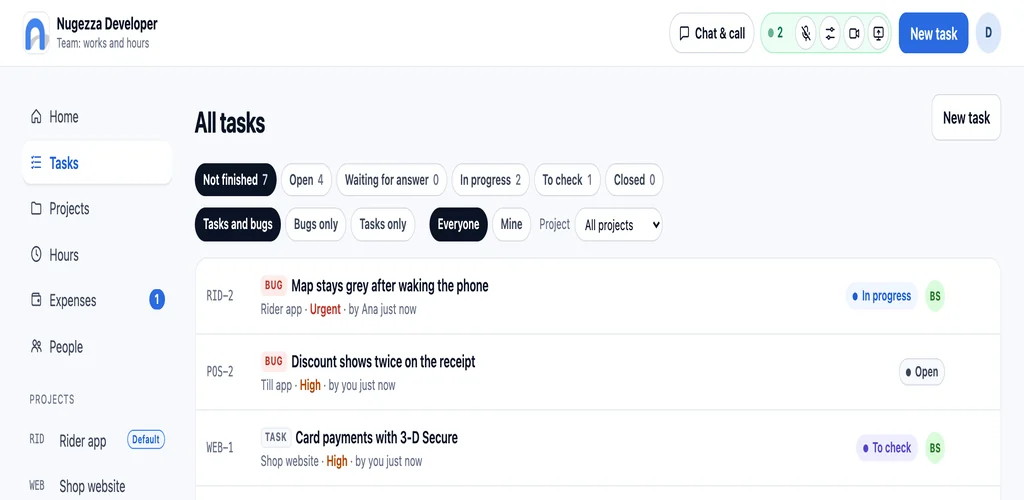
Screenshots


About the project
Our developers work from different places. We wanted one place for the work, the talk and the money, so we built it.
Anyone on the team publishes a task or a bug; the leader asks someone to do it, checks it and closes it. Everyone keeps a timer on what they work on. The team chat and the call are always there, and so is a page that keeps track of who paid for what.
It runs in the browser and as a desktop app for Windows, Mac and Linux.
Projects, tasks and bugs
Anyone publishes a task. The leader asks someone to do it, or anyone takes it; it is checked before it is closed.
Hours on every task
A timer you start, pause and stop on the task you are working on. Hours per week and per month, per person.
A chat in every task, and one for the team
Messages, photos, videos and to-dos you tick off, where the work is.
The call is always on
Opening the app puts you in the call with everything off. Turn on the microphone, camera or screen share when you need them; choose your microphone and speaker, and each person’s volume.
Expenses, settled fairly
Whoever pays adds it, with the receipt. It is split to the cent; settle up by paying each other back or by taking turns.
A desktop app
Its own window, it keeps running when you close it, counts new messages on its icon and tells you when someone writes or pays you.
Questions
Can my team use Nugezza Team?
Where does it run?
Do calls go through your servers?
Want Nugezza Team for your team?
Tell us, and we will let you know when it is ready. Or chat with us now.