

My Docs
Your documents on your phone, ready to show or send
ID cards, passports, licences, insurance, tickets and bills on your phone. Show them full screen or send them as a photo, a PDF or the original. Free, offline, in English, Sinhala, Tamil and Italian.
- Free
- No ads
- Works offline
- Collects no data
- No account
My Docs is on its way to the app stores. Each button becomes a link the day the app is in that store.
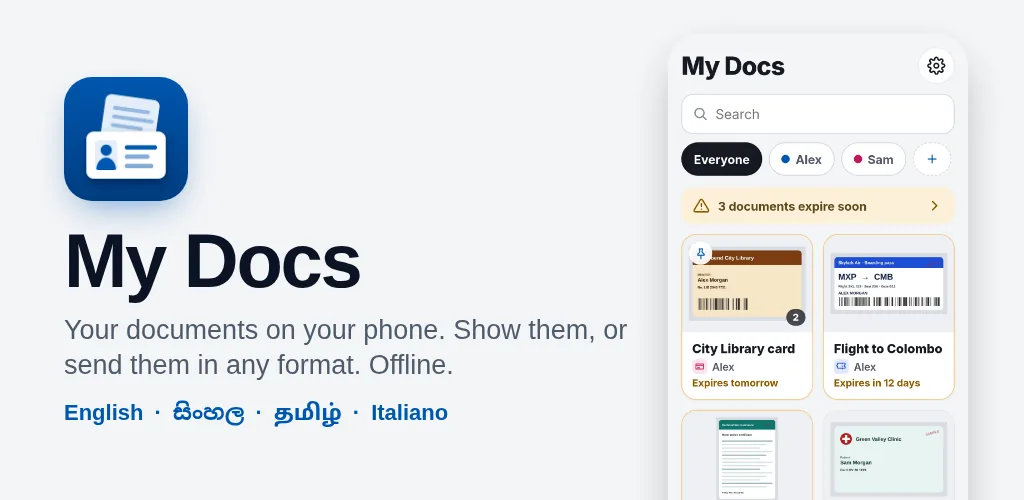
Screenshots


My Docs
My Docs keeps every document you carry, and your family’s, in one place on your phone: scan it, pick a photo or a file, or share it in from WhatsApp, Gmail or any app. Show it on the brightest screen your phone has, or send it in the format the other person needs: a photo, one picture with the front and back together, a PDF or the original file, with a “copy for” mark if you want one. It reminds you before a document expires, and it moves with you to any new phone, iPhone or Android, with nothing lost. Everything stays on your phone: no account, no ads, no internet.
For anyone who is asked for a document at a counter, by a bank or over WhatsApp, or who looks after the papers of a family.
What you need
- An Android phone with Android 7.0 or newer, or an iPhone with iOS 15 or newer
- No internet, no account and no sign-in: everything stays on your phone
What it does
Every document in one place
Scan with your phone’s own scanner, pick photos, add a PDF, a Word file or anything else, or share it in from another app. Pick the type and whose it is and the name fills itself. Search by name, number or person, and pin the ones you use most.
Show it
Full screen on black at the brightest the screen goes: swipe for the back and the other pages, pinch to zoom. Hand to someone keeps the phone on that one document, and with the lock on, leaving it asks for your fingerprint or face.
Send it the way they need it
Each page as a photo, one picture with the front and back together (the best for WhatsApp), a PDF of all the pages, the original file, or a My Docs file for someone who has the app. Make the file smaller if you need to, and mark a copy “Copy for the bank” with the date, so a copy of your ID cannot be used for something else. Then your phone’s own share sheet.
Your originals, kept as they are
A document is kept as you added it, byte for byte, with its details beside it. Every format is made from the original only at the moment you send it, so nothing is lost by keeping it here.
Expiry reminders
Add an expiry date and My Docs reminds you 60, 30 and 7 days before, from the phone itself with no internet. Documents expiring soon are marked on the home screen.
Move to any phone
iPhone to Android, Android to iPhone, or the same kind. Scan a code from the old phone, on the same Wi-Fi or a phone’s hotspot, and everything moves directly, with every file checked before it says done. Or make a backup file locked with a password and restore it anywhere.
Locked and private
Lock the app with your fingerprint, face or passcode. Your documents are kept in the app’s private storage, encrypted by your phone, and the app is hidden in the app switcher while the lock is on.
The whole family, four languages
Add your husband, wife, children or parents with a one-time unlock, and filter by person. In English, Sinhala, Tamil and Italian.
Details
| Price | Free |
| Ads | None |
| In-app purchases | Yes |
| Data collected | None — read the privacy policy |
| Internet | Not needed |
| Account | Not needed |
| Languages | English, Sinhala, Tamil and Italian |
| Platforms | Android · iPhone |
| Version | 1.0.0 |
| Developer | Nugezza Developer |
Questions
Is My Docs free?
Do I need the internet?
Where are my documents kept?
What happens when I change phones?
I forgot the password of a backup file. Can you open it?
What can I keep in it?
Does it replace my real ID?
Which languages is it in?
Questions about this app?
Chat with us now or send an inquiry — we’ll help you get it running.
