

Emoji Town
Puzzle · Match three
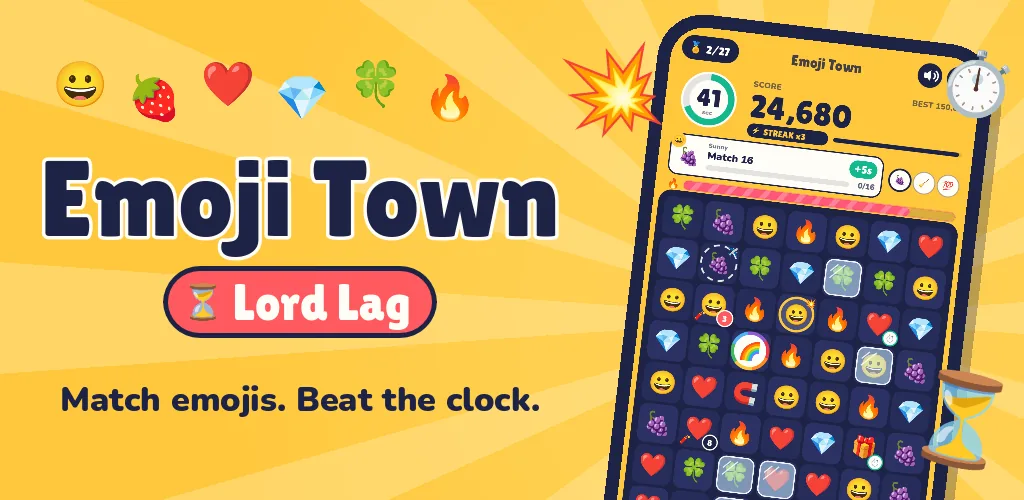
Match emojis against the clock, win more time, and stop Lord Lag freezing the phone.
- Free
- No ads
- No in-app purchases
- Plays offline
- Collects no data
- No account
Emoji Town is on its way to the app stores — free, with no ads. Each button becomes a link the day the game is in that store.
Screenshots


About the game
Inside every phone is Emoji Town, the emoji keyboard. Every emoji that rushes out to a chat makes it a little warmer. But Lord Lag, the spinning loading wheel, wants every screen frozen. Only you, the Big Thumb, can keep Emoji Town awake.
There are no levels. The clock starts at 30 seconds and never stops: win more time by finishing your friends’ requests, popping time emojis and earning achievements. Play as long as your skill lets you, and when the clock hits zero your score is final.
Specials and mega blasts
Match 4 for a line blast, an L or a T for a bomb, a square for a paper plane that flies to what you need, and 5 for a rainbow. Swap two specials together for a Cross Blast, a Mega Bomb, a Rainbow Storm or an Air Strike.
Win time, all the time
Three requests at once, each worth seconds when it is done, and 27 achievements in every game, each with its own bonus. Time emojis on the board add more. The clock holds up to a minute, so keep it topped up.
Fever, streaks and power-ups
Fill the Fever meter and the clock stops while your points double. Move fast to build a streak. Open gifts and request chests for the Hammer, Freeze and Lucky power-ups.
A story that builds the game
Sunny, Shades, Frosty and Glitch send you their requests as chat messages. Ten chapters open as you play, each bringing something new: ice storms freeze the board, time bombs tick, magnets pull emojis in, and two more emoji sets open: Fruits and Faces. In the end you face Lord Lag in his own game, where his lag runs the clock fast: survive three minutes to beat him.
How to play
Phone and tablet
- Swap two emojis
- Swipe an emoji onto its neighbour, or tap one and then the other.
- Use a power-up
- Tap it under the board. The Hammer then waits for the emoji you tap; Freeze stops the clock for 5 seconds; Lucky turns 4 emojis into specials.
- Pause
- The pause button at the top, or the back button.
- Read the story
- New chapters play by themselves; Story on the title screen lists them all, to read again.
Windows — keyboard and mouse
- Swap with the mouse
- Drag an emoji onto its neighbour, or click one and then the other.
- Swap with the keys
- The arrow keys move the cursor; Enter or Space picks an emoji, then an arrow key swaps it.
- Power-ups
- 1 Hammer (then Enter on the emoji to smash), 2 Freeze, 3 Lucky.
- Play, pause and back
- Enter or Space to play, P to pause, Esc to go back.
Details
| Price | Free |
| Ads | None |
| In-app purchases | None |
| Data collected | None — read the privacy policy |
| Internet | Not needed |
| Account | Not needed |
| Languages | English and Italian |
| Platforms | Android · iPhone and iPad · Windows |
| Version | 1.0.0 |
| Developer | Nugezza Developer |
Questions
Where can I get Emoji Town?
Is Emoji Town free?
How long does a game last?
How does the story work?
Do I need the internet to play?
Where is my progress kept?
Is it suitable for children?
Which languages is it in?
Questions about Emoji Town?
Chat with us now or send a message — the people who made it will answer.
